
Discover
HireFrog searches for roles that match your profile. You can also add roles yourself by forwarding one from your inbox or pasting a link, so everything lands in one queue instead of scattered browser tabs.
From finding roles to keeping tabs on where each one stands, HireFrog keeps every step of your job search in one place.
Each role moves through the same workflow, so nothing gets lost between finding it and following up on it.
HireFrog searches for roles that match your profile. You can also add roles yourself by forwarding one from your inbox or pasting a link, so everything lands in one queue instead of scattered browser tabs.
Look over each role’s details right in your queue and decide whether it fits before you commit any time to it.
Move a role into your pipeline once you decide it is worth pursuing. It stays there with its own status until you are ready for the next step.
Generate a resume, cover letter, and application answers built from your profile and tailored to that specific role.
Submit your application using the materials you prepared, then mark the role as applied so your pipeline stays current.
Follow each role’s status as it moves from applied to interview, offer, or wherever it lands, all in one place.
DISCOVER
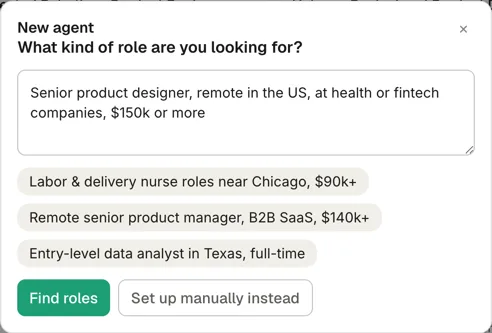
Tell HireFrog the title, the place, the salary and anything else that matters, and it sets up an agent that searches for matching roles. Prefer to be exact? Set every filter yourself instead.
REVIEW AND PURSUE
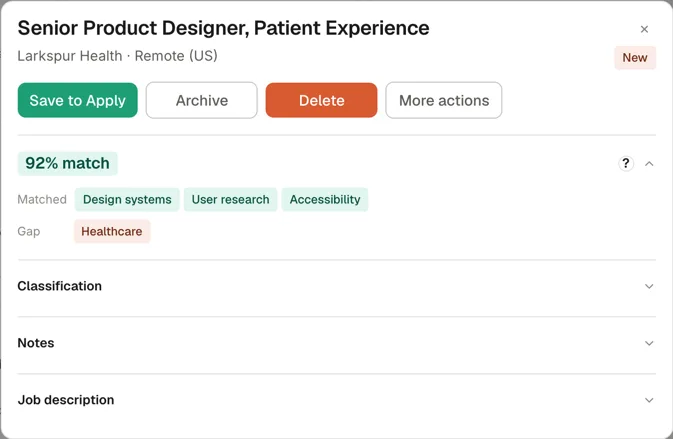
Every role shows its match score, the skills you already have and the gaps it would ask you to cover, next to the full posting. Save it to apply, archive it, or let it go.
TRACK
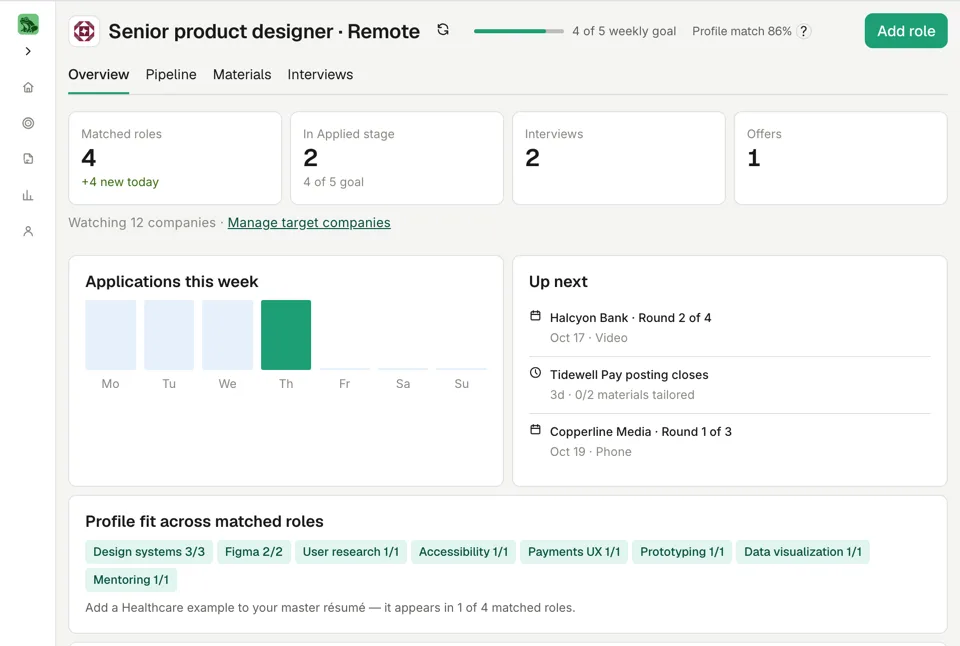
Your overview counts matched roles, applications, interviews and offers, charts this week's applications against your goal, and lists what comes next: interviews, follow-ups and postings about to close.
Preparing an application and FrogAI are on the homepage: see a tailored resume and see FrogAI.